

A classic Tic-Tac-Toe game for the Yoto Player, featuring Easy and Hard AI modes, plus a two-player option for head-to-head competition.
MAKE SURE THE CARD HAS DOWNLOADED TO YOUR DEVICE FOR SMOOTH GAMEPLAY
▶️ Listen and add to your library
Download First: Ensure the card is fully downloaded to the Yoto Player for the fastest, smoothest gameplay.
Confirm Selection/Move: Press the left button to cycle through available moves, and the right button to select the move.
Gameplay: After pressing any button, wait about 2 seconds for the game to update. Do not push the same button repeatedly.
The app features dynamic PNG generation for the board state, ensuring real-time visual feedback.
All core game state and logic are managed in the backend.
User sessions are managed via the Yoto Player's IP address. It's important to note that this approach means multiple players sharing the same public IP address cannot run distinct game sessions concurrently.
This app collects the IP address of the Yoto Player exclusively for the purpose of managing the current game session state. IP addresses and associated game session data are removed after 24 hours.
No other user or player data is accessed, collected, or stored.
Hey everyone!
I've been tinkering again and am excited to share my latest app: a fully playable Tic-Tac-Toe game for the Yoto Player!
It’s a simple classic, but it's been a fun challenge getting it to work. The game board is dynamically generated and shows up right on the Yoto's display.
Here’s what you can do:
Single Player: Challenge the Yoto itself with an Easy and a Hard mode.
Multiplayer: Go head-to-head with a friend or family member on the same device.
Marathon Mode: It's not just one and done! The first player to win 16 games is the ultimate champion!
How to Play (Please Read!):
This is the important bit! Follow these steps for the best experience:
DOWNLOAD FIRST: For the game to run smoothly, please download the card to your Player first. If you stream it, the gameplay will be very slow.
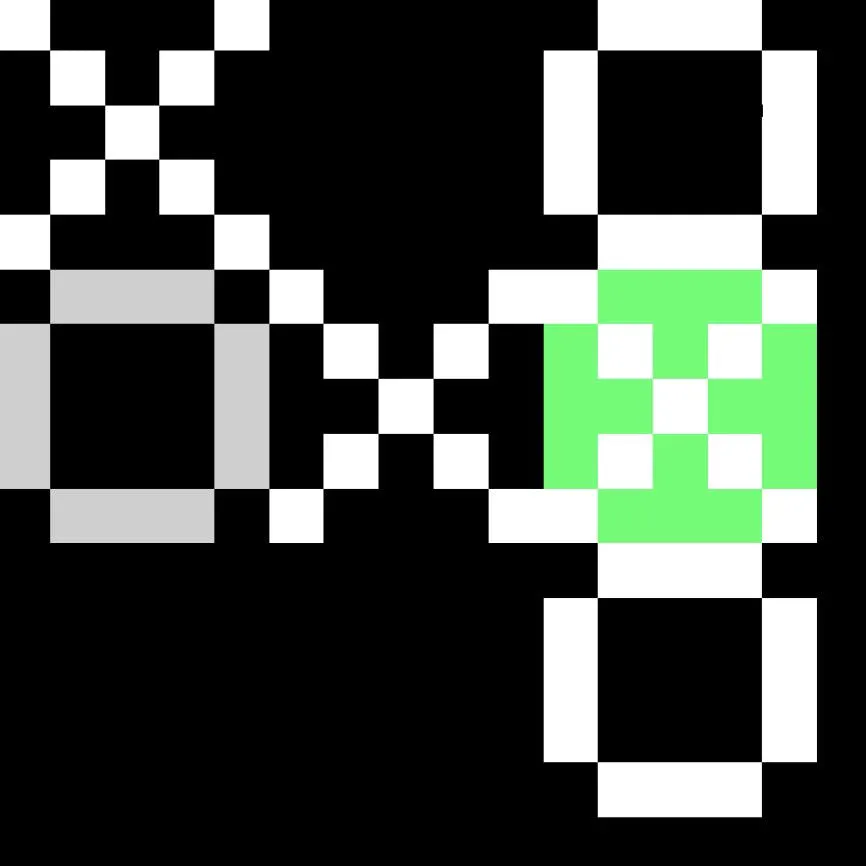
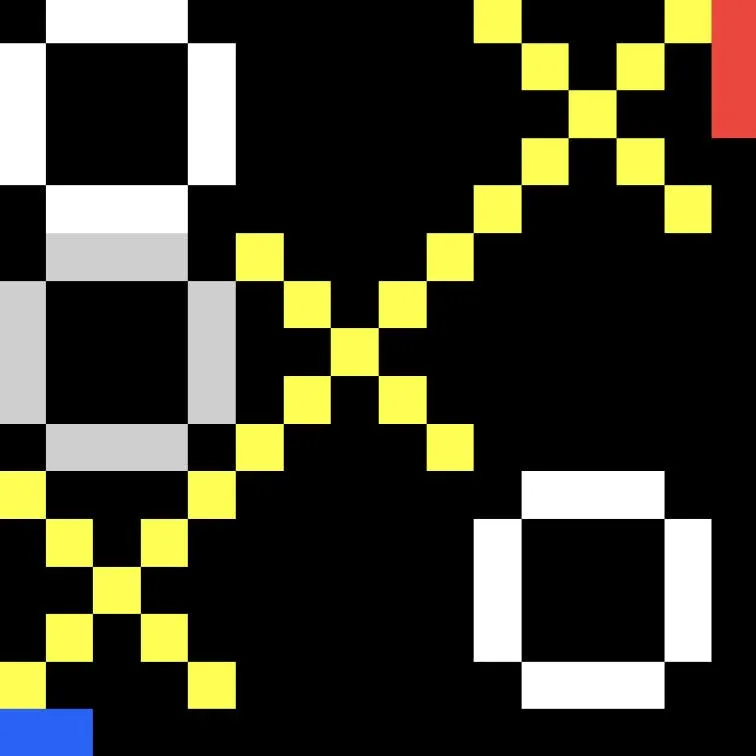
Left Button: Push the left button to cycle through the available empty squares on the board.
Right Button: When you've highlighted the square you want, push the right button to place your X or O.
THE GOLDEN RULE: After you push a button, please wait about 2 seconds for the display to update. Don't push the same button repeatedly or it will get confused!
Example images for selecting an available square and for a winning position:
A Few Quirks & Notes:
The game uses your IP address to manage the session, which means you can only have one game running per household at a time.
Of course, the Yoto Player wasn't originally designed to host interactive games like this, so concessions had to be made! That short pause between button presses is the little quirk we have to live with, but honestly, this solution works quite well!
This is a brand new creation, so I'm sure there are some bugs hiding in there. If you find any, please let me know so I can try to fix them. Your feedback is super helpful!
And... (deep breath)... if there's enough interest, I could potentially look into adding multiplayer over the cloud to play against other Yotos. Let me know if that's something you'd actually want! 🙈
Hope you have fun with it!


